New Oclip update: clip from Claude and ChatGPT with MCP, live streaming, clip scores and more
Oclip just got a big update. Here is everything that is new.
Clip scoring
- A virality score on every clip, with a visual indicator.
- A detailed breakdown of why a clip scored high or low, so you know which one to post first.
Clip with your AI assistant (MCP)
- New MCP support: connect Oclip to Claude AI, ChatGPT and other MCP-ready assistants and ask them to clip your videos for you.
Live streaming
- A new live streaming option.
Downloads and errors
- Background zip downloads: download all your clips as one zip without waiting on the page.
- Clearer error messages when a video fails to process, so you see what went wrong.
- Browser login support: YouTube links that ask you to sign in can now be downloaded.
Slower computers (both editions)
- Oclip checks your PC when it starts. If it is on the low side, it switches to lighter settings by itself, with no setup needed.
- Every job on such a PC starts with one short message telling you lighter settings are in use.
- Start a second video while one is running and Oclip asks first, then queues it ("Waiting for your other job to finish").
- Normal and fast PCs work exactly as before.
In Premium
- Choosing heavy extras (voice dubbing, lip sync, AI stock images, AI Emojis) on a slower PC shows a pop-up that offers lighter settings.
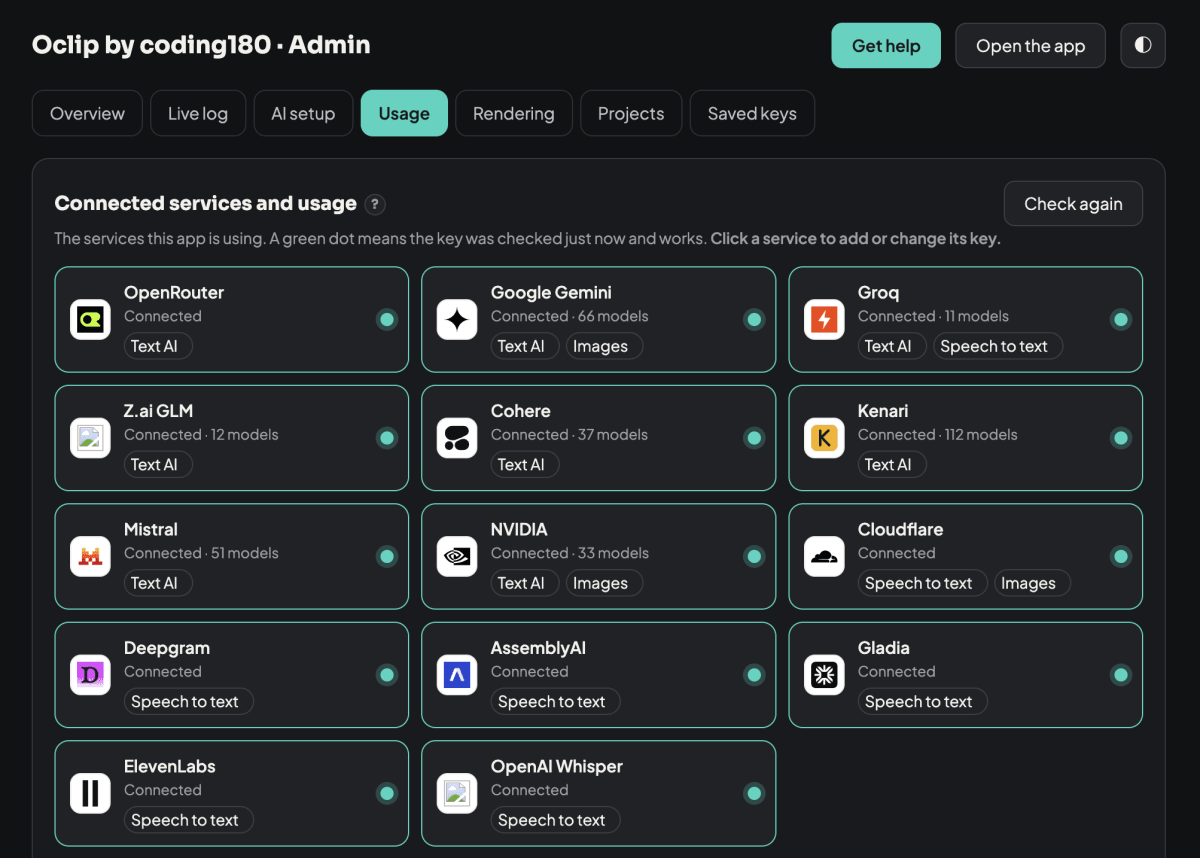
- Two more services can be added from the Usage tab: Cohere for text AI and ElevenLabs for speech to text. Click the service card, paste your key, and Oclip checks it before saving. If a service is busy, Oclip tries the next one.
Update to the latest version to get all of this.
What PC are you running Oclip on, How is it so far?
0 Replies
No replies yet. Be the first to respond.