I Reverse Engineered Grok AI using REA - Download free
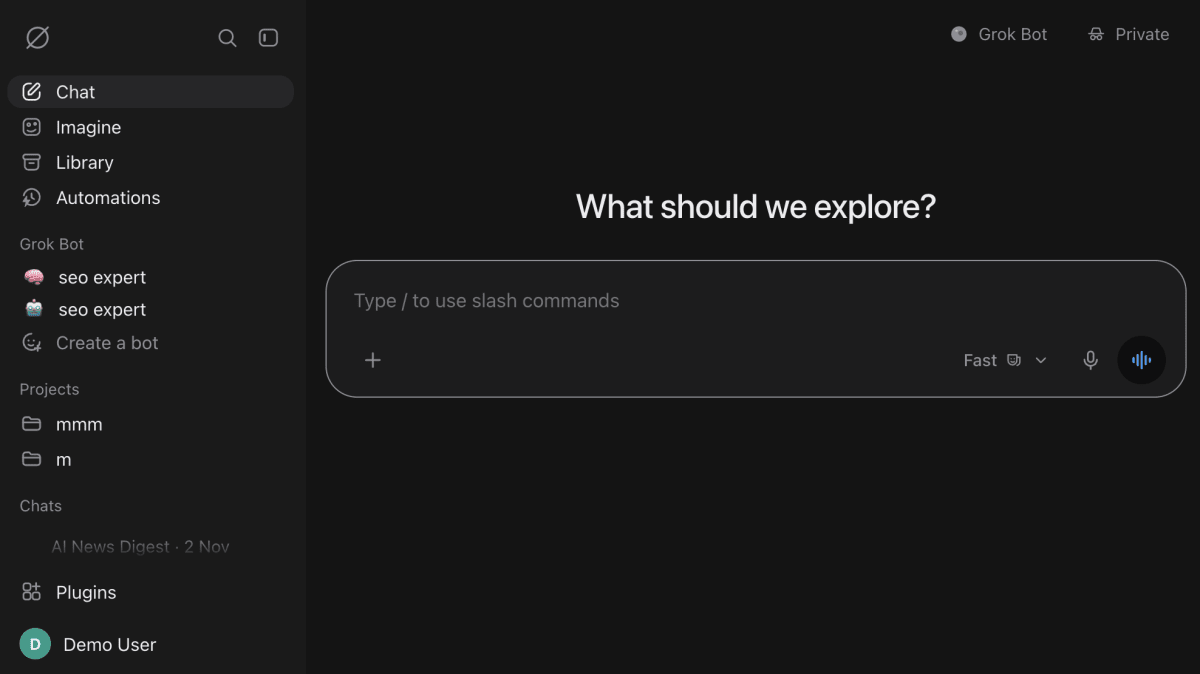
I used the Reverse Engineer Anything (REA) repository to build my own Grok-style AI chat app. You bring your own OpenRouter key and pick any model, free or paid. I built it to learn how apps like this are made, so treat it as educational. It is not connected to or endorsed by xAI or OpenRouter.
What it can do:
- Modes: Fast, Auto, Expert and Heavy, plus Think for reasoning and DeepSearch for the web.
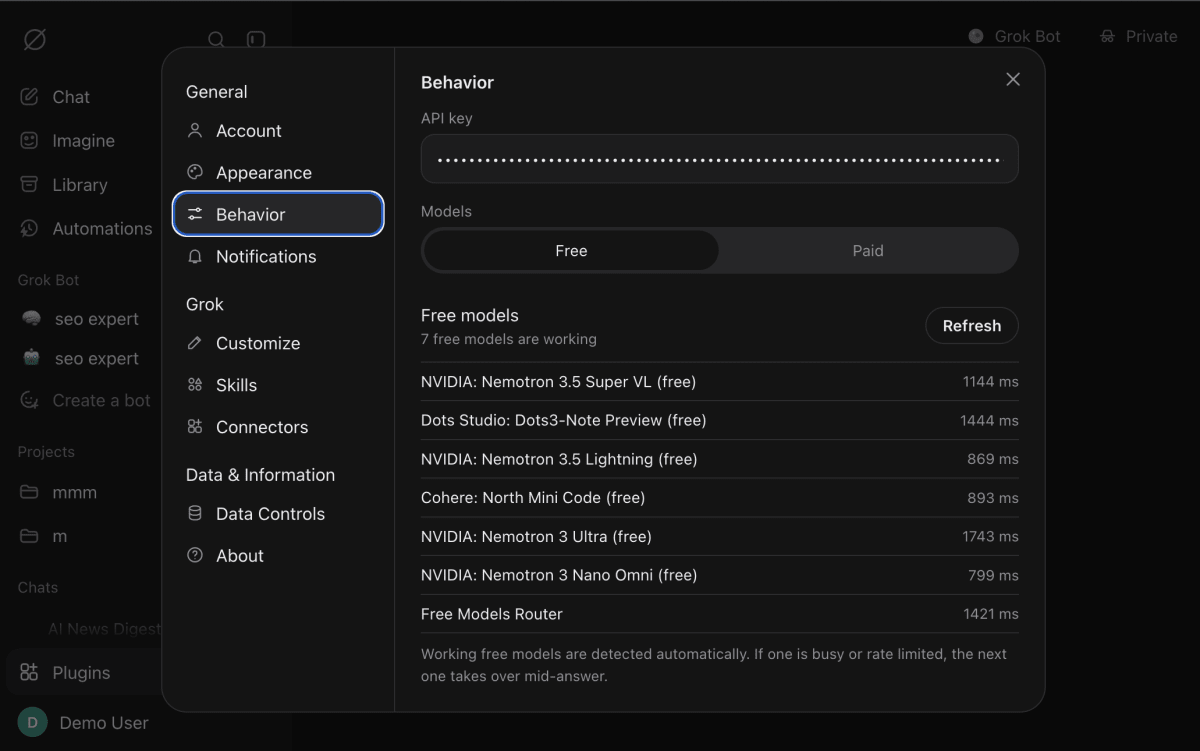
- Free or paid models: free models are checked live before they are listed, and it switches to another one if the current one fails.
- Projects, skills and bots: group chats with shared instructions, upload a SKILL.md and call it by typing /, and make your own bots with their own knowledge files.
- Connectors and automations: Wikipedia, Hacker News, GitHub, a web page reader or your own MCP server, plus scheduled prompts that run while the app is open.
- The basics done well: streaming markdown, code blocks with copy, regenerate, edit prompt, attachments, export chats, light and dark themes.
Voice mode, Imagine and Grok Bot are only stubs for now.
Here is how to run it yourself.
Step 1: Download the project
The repository is linked here. Download it and unzip it, or clone it if you use Git.
Step 2: Install Node.js
You need Node.js version 18 or newer. Check what you have by running node -v in a terminal. There is nothing else to install and no build step.
Step 3: Start the app
Open a terminal inside the project folder and run:
npm start
Step 4: Open it in your browser
Go to http://localhost:4540 and sign in with demo / grok-demo, or click Continue as guest. With no key it still runs in demo mode with sample replies, so you can look around first.
Step 5: Add your OpenRouter key
Create a free account on openrouter.ai and make a key on the Keys page. In the app, open Settings, then Behavior, paste the key and choose Free or Paid models. Then try a mode, create a project, or upload a skill.
The prompt I used to build it
This is a shortened version of my full prompt. Swap in your own app and details.
If you want to build something like this yourself, the full step-by-step is in our tutorial section https://coding180.com/tutorials/reverse-engineer-any-app-rea.
Which app would you want to rebuild next?