I Reverse Engineered OpusClip using REA - Download Oclip Free .zip
I used the Reverse Engineer Anything (REA) repository to build my own AI video clipper, and this is the free edition. Paste a long video link or upload a file, and it writes the transcript, picks the best moments, cuts them to vertical and burns in the captions.
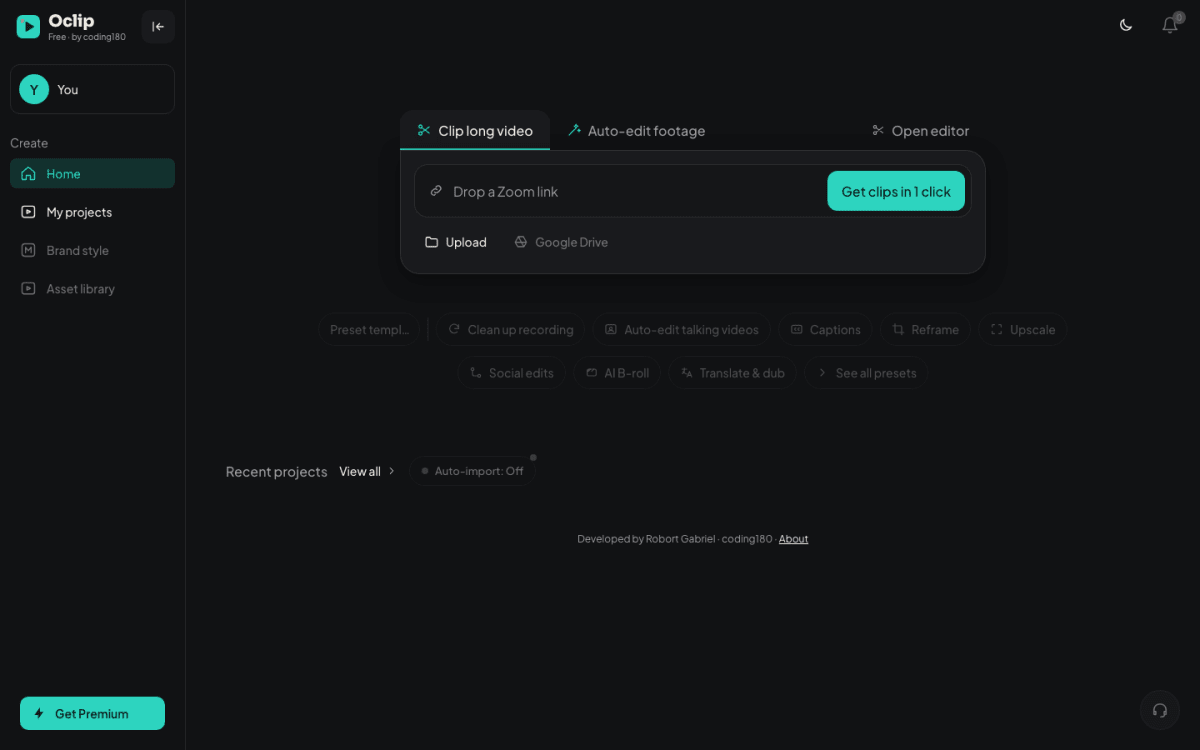
What the free edition gives you:
- Clip long video: link or upload in, short captioned clips out, with scores, titles and descriptions.
- Clip editor: edit the transcript and captions, trim, and export at 720p or 1080p.
- Download: save every clip to your computer.
- Runs on free services: Groq for speech to text and OpenRouter free models to pick the moments. If one model is busy, it moves to the next one by itself.
- No sign-in: it only listens on your own computer, so your videos stay with you.
Here is how to run it yourself.
Step 1: Download and unzip
The zip is attached to this thread. Unzip it and put the folder somewhere easy, like Documents.
Step 2: Start it
On Windows, double-click Start Clip.bat. On Mac, right-click Start Clip.command, click Open, then Open again (only the first time). If it asks for Node.js, install it and start Clip again. Keep the black window open while you use it.
Step 3: Open it in your browser
Go to http://localhost:4571. There is no sign-in.
Step 4: Clip your own videos
Then get two free keys: Groq for speech to text and OpenRouter to find the best moments.
Step 5: Add your keys
Open http://localhost:4571/admin, paste both keys, click Save and restart Clip. Now paste a video link or upload a file on the home page.
If you want to build something like this yourself, the full step-by-step is in our tutorial section https://coding180.com/tutorials/reverse-engineer-any-app-rea.
Download Test and drop your feedback.
6 Replies Oldest first Newest first
Perfect
Loki
perfect
Perfect
nice
lets get it started