I Reverse Engineered Telegram Web using REA - Download free
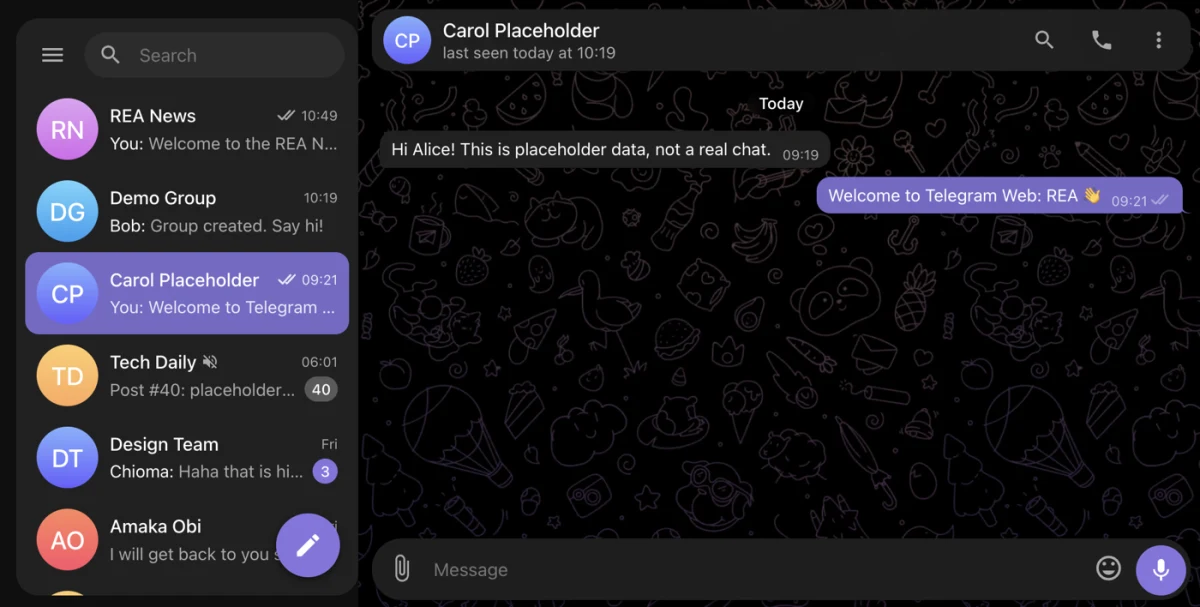
I used the Reverse Engineer Anything (REA) repository to build my own working version of Telegram Web. It has real-time chat, groups, channels, replies, reactions, file attachments and a light/dark theme. It is not connected to Telegram and it is a demo, so treat it as a learning project. I built it to understand how a chat app really works under the hood.
Here is how to run it yourself.
Step 1: Download the project
The repository is linked here. Download it and unzip it, or clone it if you use Git.
Step 2: Install Node.js
You need Node.js version 18 or newer. Check what you have by running node -v in a terminal. There is nothing else to install and no build step.
Step 3: Start the app
Open a terminal inside the project folder and run:
npm start
Step 4: Open it in your browser
Go to http://localhost:4530 and click Alice or Bob on the login screen. If you enter a phone number instead, the verification code is always 12345.
Step 5: Try two users at once
Open the app in one window, then open http://127.0.0.1:4530 in a private window and log in as the other user. Send messages between them and watch them arrive live. Try creating a group, a channel, and reacting to a message.
The prompt I used to build it
This is a shortened version of my full prompt. Swap in your own app and details.
Use the /reverse-engineer-anything skill to reverse-engineer https://web.telegram.org/ (the Telegram Web A client) and build a working clean-room clone called "Telegram Web: REA" in a new folder. Plain ES modules, a Node server with no dependencies, a JSON-file store, no build step, runs with npm start.

Research: use my logged-in Chrome session read-only. Capture screenshots, DOM, CSS, layouts at desktop, tablet and mobile widths, routes and network behavior. Do not copy my real chats or contacts, do not send messages, use placeholder data.

Match the look: chat list with search and folders, conversation pane, right info panel, message bubbles, light and dark themes, menus, emoji picker and animations.

It must work end to end: demo sign-up and login with a fake code, a floating compose button (New Channel, New Group, New Conference, New Private Chat), real-time chat between two users, message actions (reply, edit, delete, forward, pin, reactions, attachments), groups with admin roles and invite links, channels, Saved Messages, archive and mute, search, and a Settings page for profile, theme and wallpaper.

Make it responsive, persist data across reloads, add a short README, then test it in a browser at several screen sizes and report the results honestly.
If you want to build something like this yourself, the full step-by-step is in our tutorial section https://coding180.com/tutorials/reverse-engineer-any-app-rea.
Which app would you want to rebuild next?
