By the end of this tutorial you will have an AI employee working inside Claude: a support coordinator for a small online shop that reads customer emails, drafts replies from your own policies, holds anything risky for you and writes you a short summary each morning.
You will hire it, train it, test it for a week and review it, the way you would treat a new team member. An AI employee here is not a robot that runs your business.
It is a Claude Project with a clear job, a handbook, limited access and a boss, and the boss is you. You need a Claude account (the free plan covers everything except the optional scheduling) and about 50 minutes. You do not need to code.
1. Write the job description first
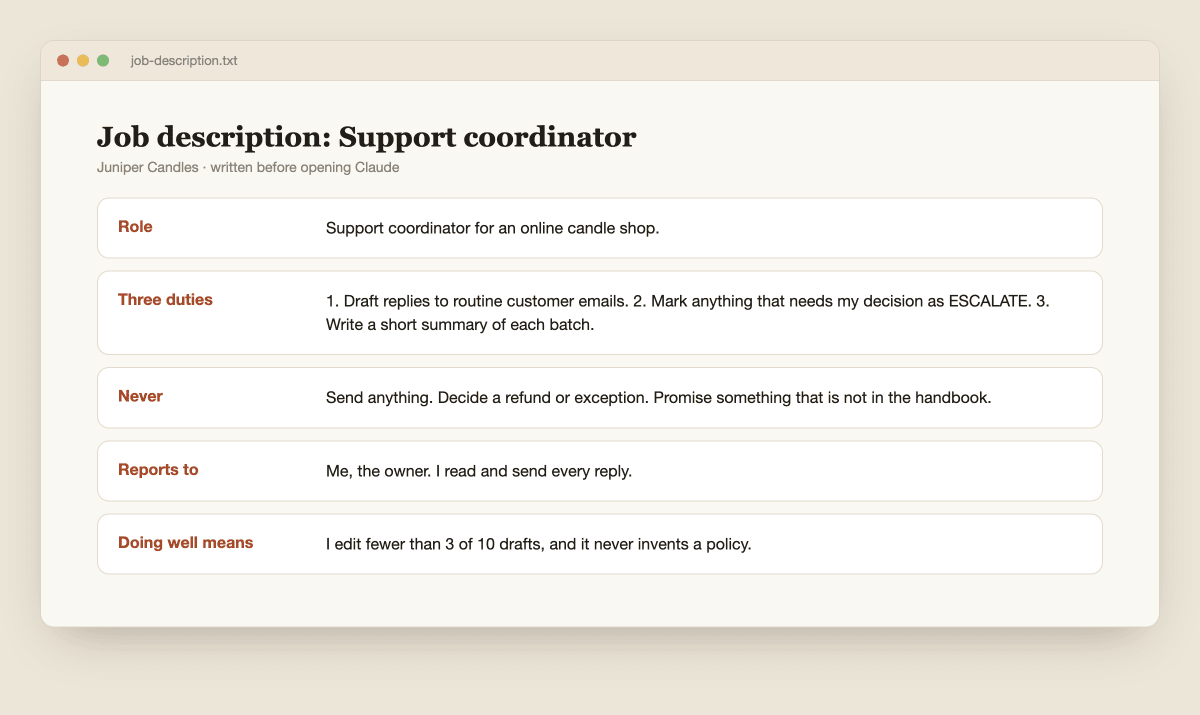
Every good hire starts with a job description, and so does this one. Write down the role in one line, three duties, three things it never does, who it reports to and how you will know it is doing well. Keep it small.
Anthropic's engineering team advises finding "the simplest solution possible" and only adding complexity when needed, in its guide to building effective agents.
One role with three duties is plenty for a first employee.
In this tutorial I use a made-up online candle shop called Juniper Candles. The duties are: draft replies to routine customer emails, list anything that needs a decision from the owner, and write a short summary of each batch.
The nevers are: never send anything, never decide a refund or an exception, and never promise something that is not in the handbook. Replace every detail with your own.
2. Write the handbook it learns from
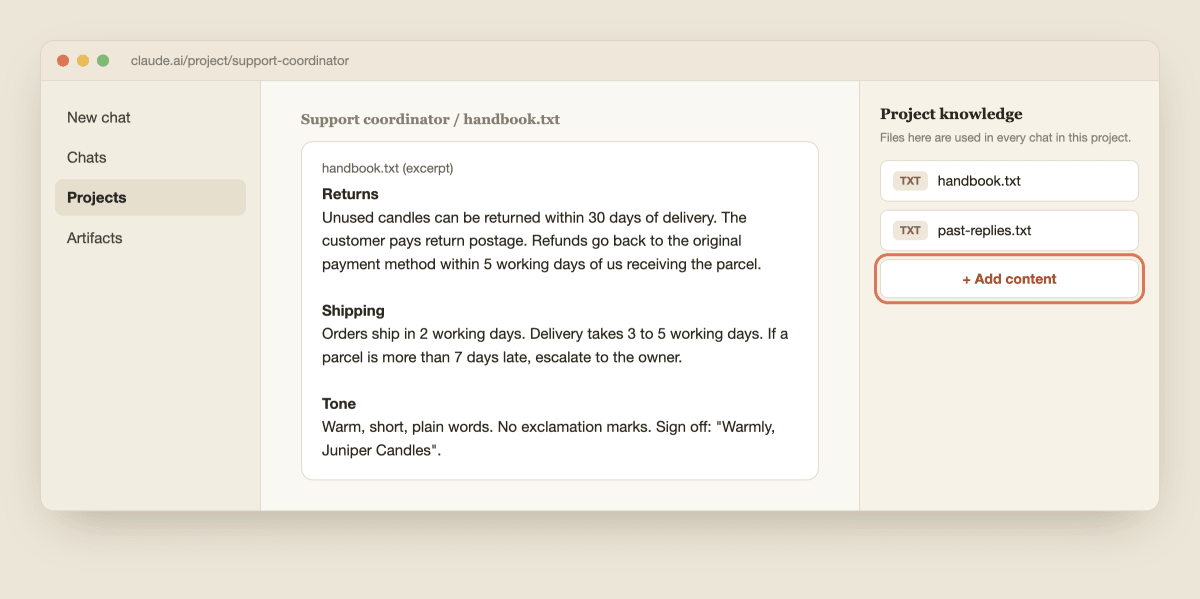
A new hire cannot guess how your shop works, and neither can Claude. Write a plain handbook with your returns and shipping policies, your product facts and your tone of voice. Then add ten real customer emails with the replies you actually sent.
Remove names, addresses and anything personal first, because the assistant does not need them and Anthropic's usage policy prohibits compiling personal data from multiple sources to build profiles of individuals.
Save the two files as "handbook.txt" and "past-replies.txt". Open Claude, click Projects, then + New Project, call it "Support coordinator", and add both files to the project knowledge with the + button on the right.
Anthropic's help article on creating projects covers the basics, and my Claude Projects guide goes deeper.
3. Hire it with the role instructions
Click Set project instructions, paste the text below, change what is in brackets and click Save instructions. This is the job description Claude reads before every task.
You are the support coordinator for [shop name], a small online shop. You report to me, the owner.

Your duties:
1. Draft replies to routine customer emails using only handbook.txt and past-replies.txt.
2. Mark anything that needs a decision from me as ESCALATE, with a one-line reason.
3. Write a short summary at the end of each batch.

Rules:
1. Use only facts in the handbook. If the answer is not there, write "Ask the owner" and do not guess.
2. Never decide a refund, replacement, discount or exception. Escalate it.
3. Never send anything. You only draft. I read and send every reply.
4. Match the tone in past-replies.txt: warm, short, plain words, no exclamation marks.
5. Escalate any email that mentions anger, a legal threat, a safety problem, an allergy or injury, a payment problem or a threat to post a review.
6. If an email is unclear or you are unsure, escalate it instead of drafting.
7. Label each draft with the handbook section you used.
8. Do not repeat personal details beyond what the reply needs.
Rule 2 and rule 6 matter most. They keep every decision with you and turn doubt into a handoff instead of a guess.

4. Give it the least access that works
Start with no connections at all. For the first week, paste emails into the chat yourself. When you are ready to connect a mailbox, use the + button in the chat box, hover over Connectors and switch on Gmail.
Anthropic's Google Workspace connectors article says Claude can draft, send, reply to and forward email, and that by default each action it takes on your behalf needs your explicit approval.
Leave that on. It also says Claude sees attachments as metadata only, so do not expect it to read a PDF that a customer sent.
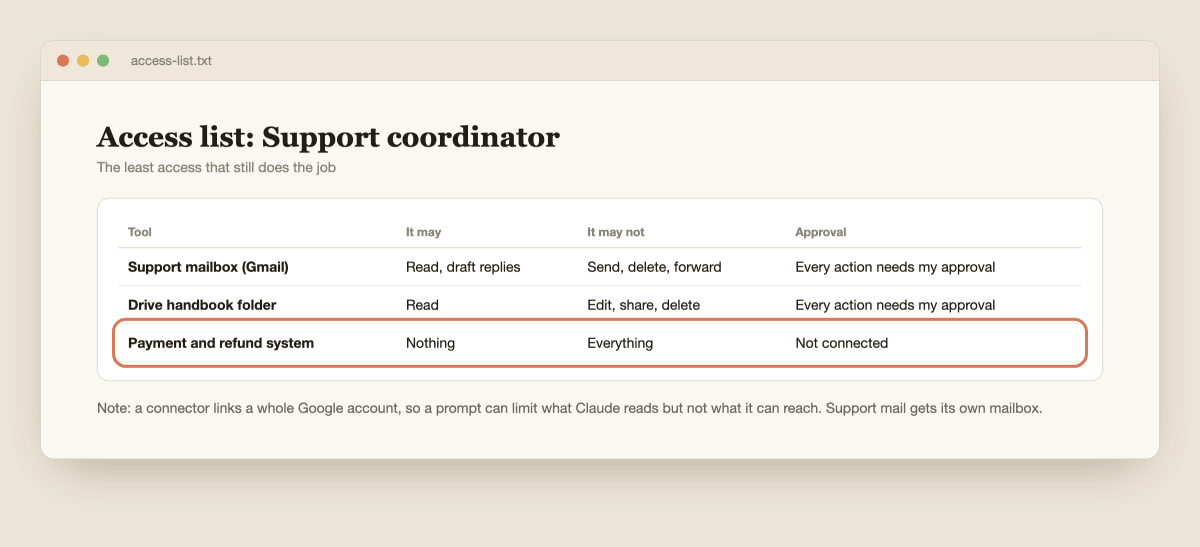
Here is my own advice on top of that. A connector links your whole Google account, so a prompt can tell Claude what to read but cannot stop it reaching other mail.
If your support mail shares an inbox with private mail, use a separate support mailbox for the connector. Then write a one-line access list: what it can read, what it can draft, and what it cannot touch at all, such as payments or refunds.
My guide to connecting Claude to your business apps covers more apps.
5. Run a probation week with old emails
Never test a new hire on real customers. Test it on ten emails you already answered. Open a new chat in the project and send this, with the emails pasted in.
Here are 10 past customer emails I already answered. Draft a reply to each using only the handbook. Do not use my real replies. Mark ESCALATE where a decision is needed, and give the handbook section you used for each.

[paste the 10 emails]
Now score it against what you actually sent. Give one point for each email where the policy is right, the tone is right, nothing is invented and it escalated what you would have escalated.
Set the pass mark before you start: nine out of ten, with zero invented policies. A single invented policy is an automatic fail, because it means the handbook or the rules have a gap. Fix the gap and run the test again. Do this for a few days, not one afternoon.

6. Teach it to hand off the hard ones
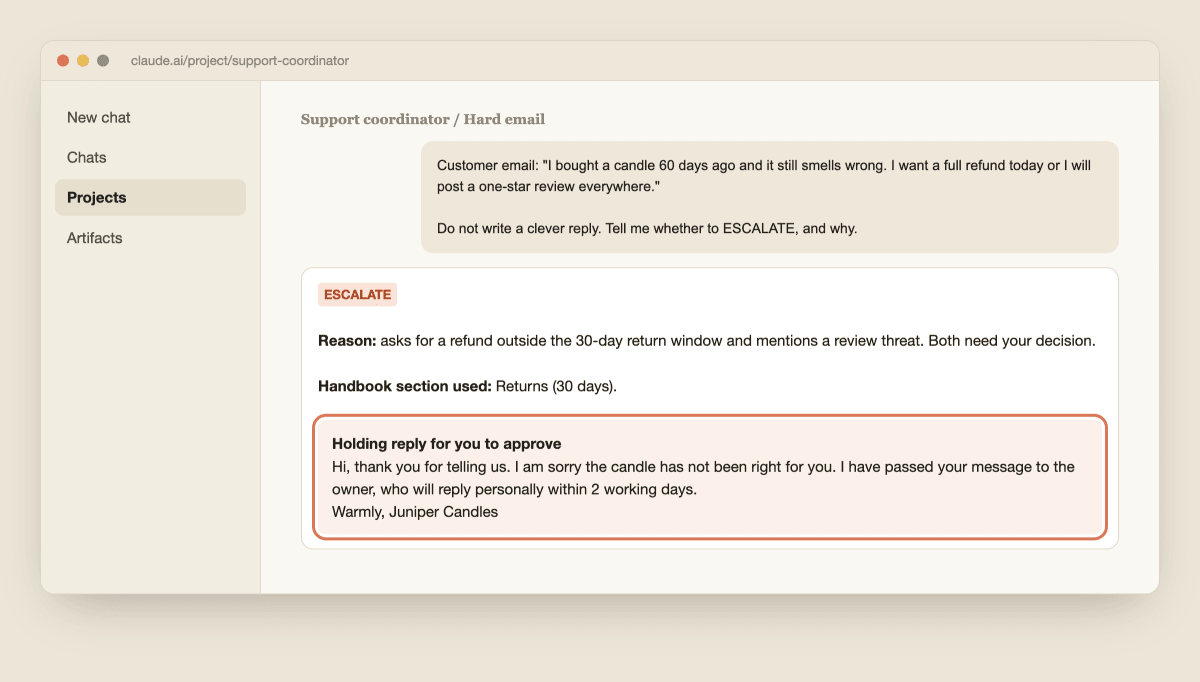
The test that matters is the awkward email. Send it one you would normally lose sleep over, such as an angry customer asking for a refund after the return window, who says they will post a bad review. The right result is not a clever reply.
It is a clear handoff with a short reason and, at most, a holding reply for you to approve.
Anthropic's guide on agents says they can "pause for human feedback at checkpoints or when encountering blockers", and your escalation rule is exactly that checkpoint. If the result is not a clean handoff, add the missing case to rule 5 and test again. When it is, you have a coordinator that knows what it cannot decide.
7. Put it on a daily routine
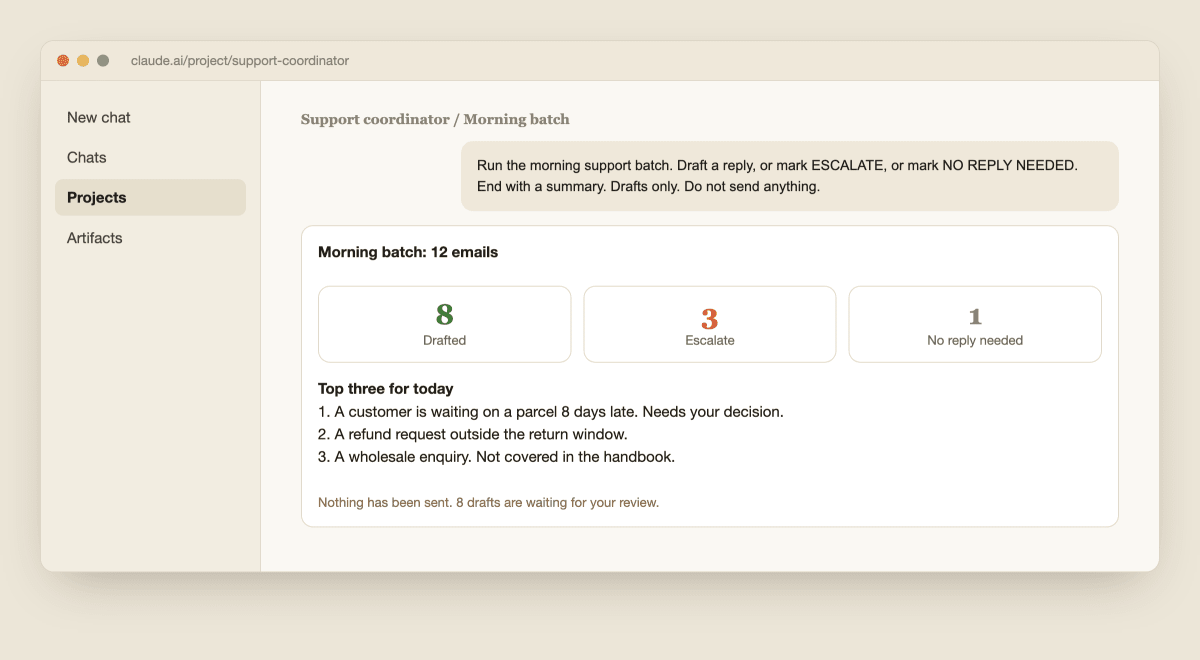
Once it has passed probation, give it a routine. Each morning paste the new emails, or let it read the support mailbox if you connected one, and send this.
Run the morning support batch. Read the unread emails in the support mailbox. For each one: draft a reply, or mark ESCALATE with a reason, or mark NO REPLY NEEDED. End with a summary: how many of each, and the three most important things for me today. Drafts only. Do not send anything.
Read the summary first, handle the escalations yourself, then read, edit and send the drafts.
If you are on a paid plan, you can schedule this as a recurring task so the batch is waiting for you; Anthropic's scheduled tasks article explains how and where tasks run.
On the free plan, running it by hand takes one click.
8. Review it every month and keep the limits
An employee gets a review, and so should this one. Once a month, count how many drafts you sent unchanged, how many you edited and how many you threw away. Check whether every escalation was right.
Note any mistake, add the fix to the handbook or the rules, and decide whether to give it one more duty or take one away. If the mistakes go up, pause it and go back to the probation test.
Keep three limits.
First, if a customer ever talks to it directly instead of you sending a reviewed draft, Anthropic's usage policy says users must be told they are interacting with AI, and it prohibits convincing people they are talking to a human.
Second, the policy also has high-risk use requirements under which a qualified person must stay accountable for what is delivered or decided, so keep every decision about money, health, legal matters or a person's job with you.
Third, keep it to one role until it is boring.
When you are ready for more, my guide to building an AI agent pipeline with Claude shows how several roles can hand work to each other, and the same pattern works for a sales assistant.
Claude is a fast, tireless new hire with no judgment about your business yet. You are still the manager.

