By the end of this tutorial you will have an AI content assistant inside Claude: a project that knows your voice, your audience and your facts, turns one idea into a post, then into a LinkedIn post, an Instagram caption and a short email, and never makes up a story, a number or a customer review.
You need a Claude account (the free plan works) and about 45 minutes. You do not need to code. The assistant is a Claude Project, a workspace that remembers your instructions and files.
My Claude Projects guide explains projects in more detail.
1. Write a one-page content brief
An assistant that writes for "everyone" writes for no one. Before you open Claude, write five lines: who you write for, what you sell, three topics you will keep returning to (your content pillars), the two places you post, and one goal for the next three months.
Then add two "never" lines. Never invent a story, result or customer quote. Never publish a draft you have not read.
The two "never" lines come from outside rules.
Google's guidance on AI-generated content says AI can help with content, but that using it to produce many pages without adding value may violate its spam policy on scaled content abuse, and that you should fact-check and review everything before you publish.
The FTC's fake reviews rule bans reviews and testimonials that claim to be from someone who does not exist, such as AI-generated fake reviews.
In this tutorial I use a made-up cooking class business called Spoon & Stove, so replace every detail with your own.

2. Create the project and add your brief
Open Claude and click Projects on the left side, or go to claude.ai/projects. Click + New Project, call it "Content assistant" and add a short description.
Anthropic's help article on creating projects notes that Claude cannot see the name and description, so they are only for you.
Save your five-line brief as a text file called "content-brief.txt" and add it to the project knowledge with the + button on the right. Claude uses files you add in every chat in the project.
Projects work on the free plan with a limit on how many you can create; see Is Claude AI free? for what changes on a paid plan.

3. Teach it your voice with a voice guide
Generic AI writing is the biggest reason people stop using AI for content. The fix is to show Claude your real writing. Collect three things you wrote that sound like you: a post, an email, a long message to a customer. Open a new chat in the project and paste this, with your three samples under it.
Here are three things I wrote. Study how I write, then give me a voice guide I can reuse:
1. My sentence length and rhythm.
2. Words and phrases I use often.
3. Words I never use.
4. How I open and how I close.
5. Five rules, written as do and do not.
Quote a short example from my writing for each rule. Do not invent anything I did not write.

[paste sample 1]
[paste sample 2]
[paste sample 3]
Read the guide and delete any rule that does not sound like you. Save it as "voice-guide.txt" and add it to the project knowledge. If you have no samples yet, write ten do and do not lines by hand. A voice guide is just a file, so it keeps working however Claude's menus change.

4. Give it the rules
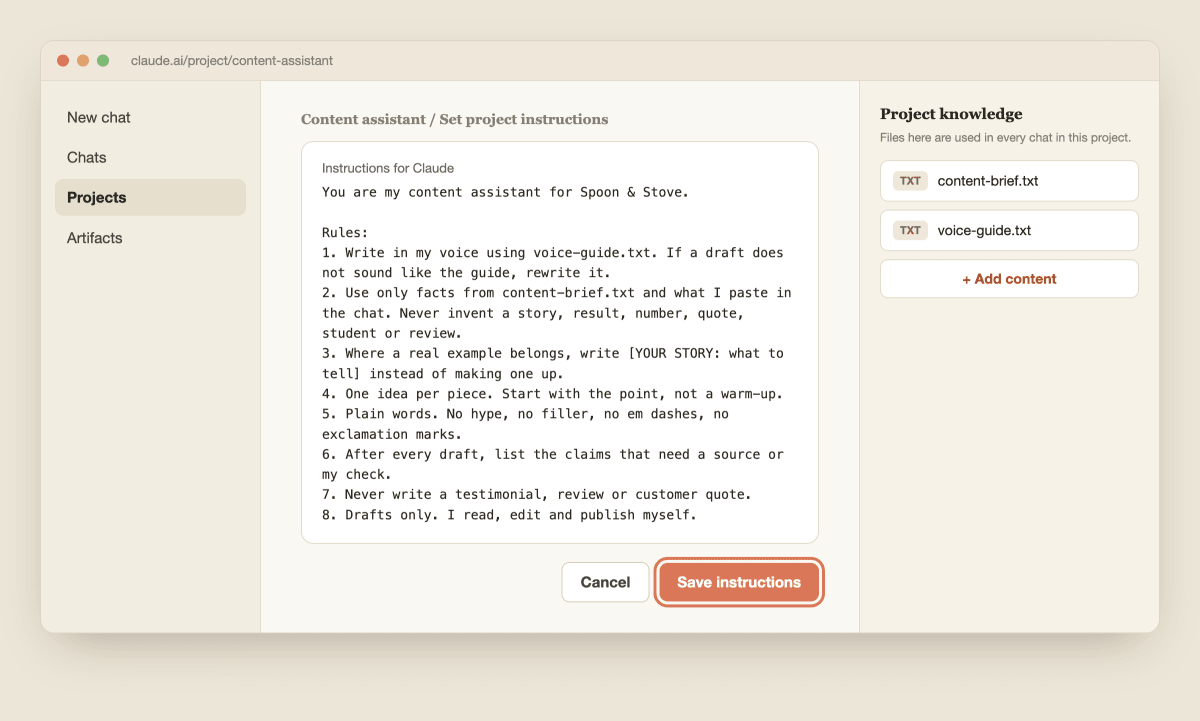
Click Set project instructions, paste the text below, change what is in brackets and click Save instructions. These apply to every chat in the project.
You are my content assistant for [business name].

Rules:
1. Write in my voice using voice-guide.txt. If a draft does not sound like the guide, rewrite it.
2. Use only facts from content-brief.txt and what I paste in the chat. Never invent a story, result, number, quote, student or review.
3. Where a real example belongs, write [YOUR STORY: what to tell] instead of making one up.
4. One idea per piece. Start with the point, not a warm-up.
5. Plain words. No hype, no filler, no em dashes, no exclamation marks.
6. After every draft, list the claims that need a source or my check.
7. Never write a testimonial, review or customer quote.
8. Drafts only. I read, edit and publish myself.
Rule 3 is the most useful one. It turns the gap where a fake story would go into a clear note about what only you can supply. My 5-element prompt formula explains why short numbered rules like these work well.
5. Turn real questions into ideas
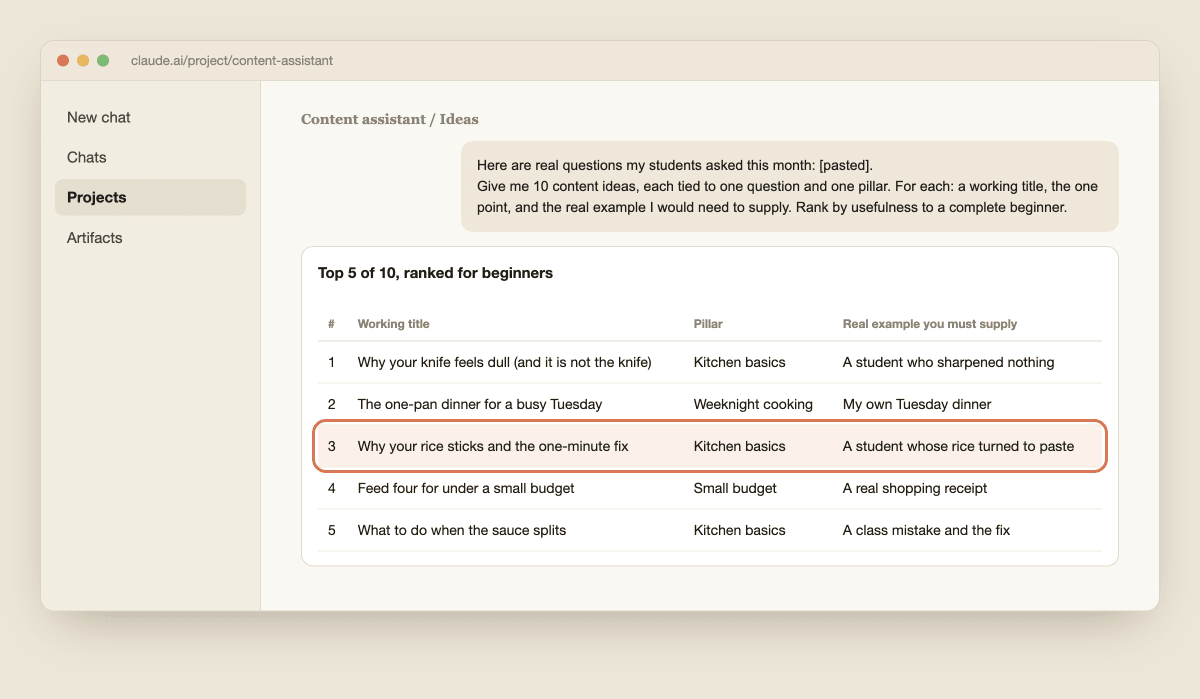
Do not ask Claude "what should I post about?" It will give you what everyone else posts. Instead give it the real questions your customers asked this month, from messages, comments and conversations. Open a new chat in the project and paste:
Here are real questions my students asked this month: [paste 8 to 10].
Give me 10 content ideas, each tied to one question and one of my three pillars. For each: a working title, the one point it makes, and the real example I would need to supply. Rank them by how useful they are to a complete beginner. Do not repeat a topic.
Pick three. Choose the ones where you already have a real example, because that example is what makes the post yours. If you have no customers yet, use questions from a forum or comments under a post in your topic, not invented ones.
6. Draft one piece and add your own story
Take your best idea and ask for a short draft.
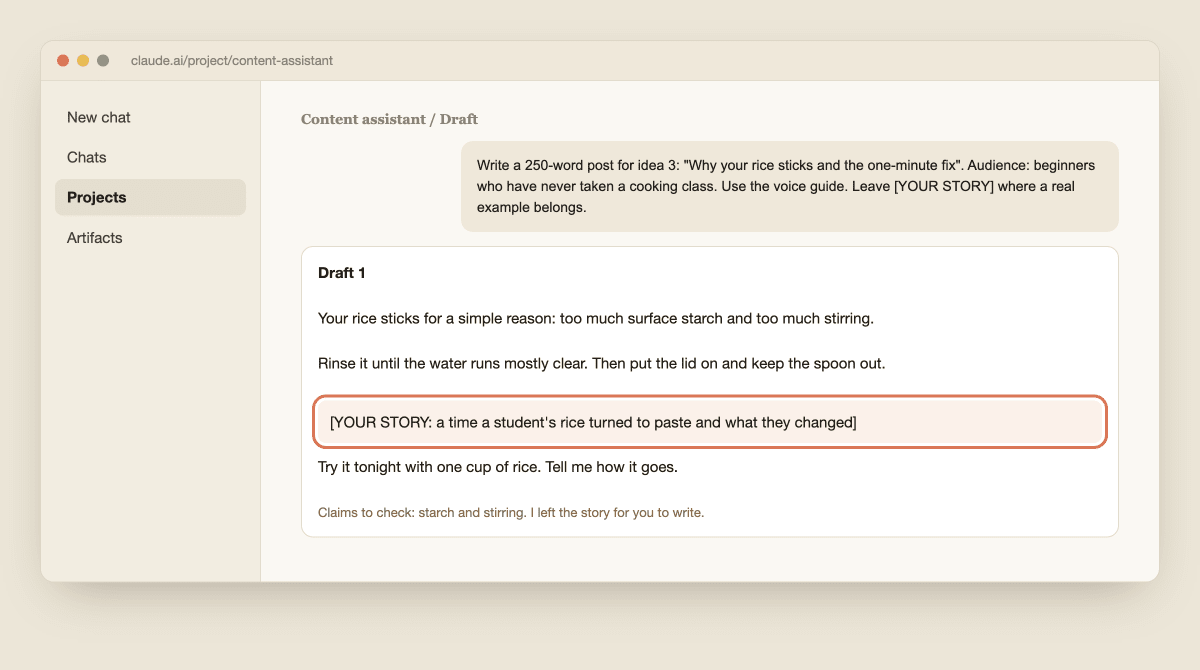
Write a 250-word post for idea 3: "Why your rice sticks and the one-minute fix". Audience: beginners who have never taken a cooking class. Use the voice guide. Leave [YOUR STORY] where a real example belongs. End with one small step the reader can take today.
Claude writes the draft and, because of rule 3, leaves a clear gap such as [YOUR STORY: a time a student's rice turned to paste and what they changed]. Write those two sentences yourself, from something that really happened. This is the step that makes the post worth reading, and it is the part that AI cannot do for you.
7. Run an edit pass and check the facts
Now ask Claude to be your editor, not your writer. Paste your draft with your story filled in:
Edit pass on the draft below.
1. Cut filler and any sentence that says nothing.
2. Replace vague words with specifics I gave you.
3. List every claim that needs checking, and where I could check it.
4. Flag any sentence that sounds like generic AI writing and offer a plainer one.
Do not add new facts.

[paste draft]
Then check the claims yourself. Google's guidance says it is critical to fact-check and review AI-generated content, and that includes titles, meta descriptions and image alt text.
If the draft still sounds stiff, my guide to five Claude Skills that fix AI-sounding content shows more ways to fix it.

8. Repurpose it for each place you post
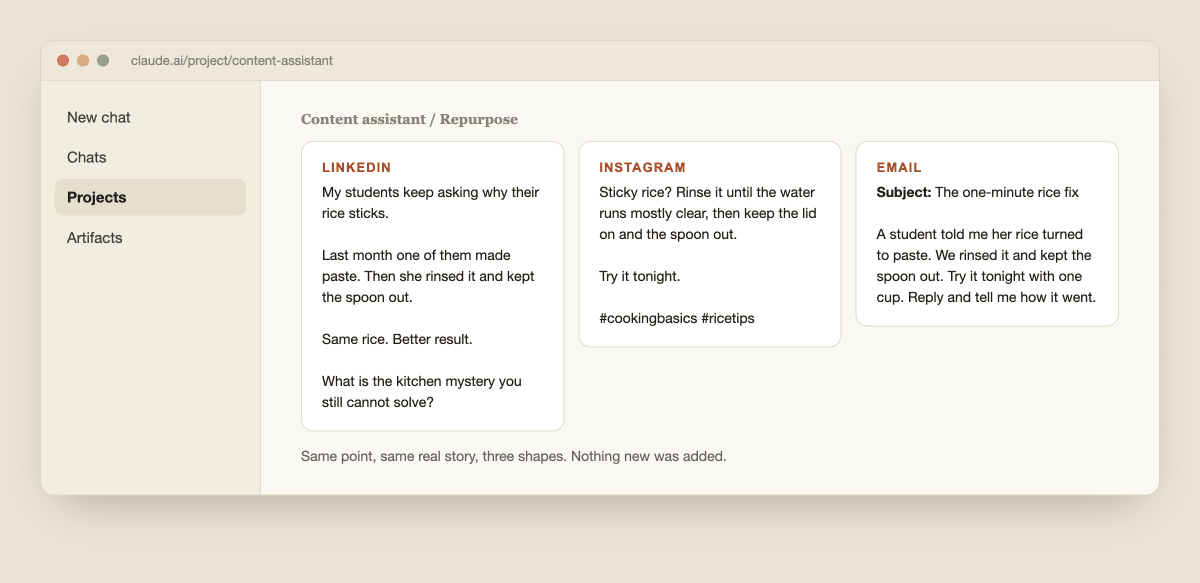
One good piece should become several. Keep the single lesson and change only the shape. Paste your finished post and send:
Turn this post into three versions, each making the same one point:
1. A LinkedIn post of about 120 words, a personal opener, three short lines, one question at the end.
2. An Instagram caption of about 60 words, starting with the point, with two hashtags at most.
3. A short email: a subject line under 50 characters and four sentences.
Keep my real story in all three. Do not add any new fact. List anything that needs my check.
Read all three, edit them and post them yourself. If you also write long videos or emails, my guides to YouTube scripts with Claude and email marketing with Claude cover those formats.
9. Set a weekly routine and keep it honest
Pick one batch day and give it 60 minutes. Paste your week's real questions, choose three ideas, draft, edit and repurpose in one sitting, then schedule the posts across the week. A small, steady routine beats a big burst that you cannot keep up.
Keep the volume small and the quality high. Google's spam policy targets large amounts of content that adds no value, so three useful pieces a week that carry your real stories are safer than thirty generic ones.
Google also suggests explaining how content was made where it helps readers, so decide what you will say about your use of AI and say it plainly.
Each Friday, ask which post got the most replies, save that post into the project as "voice-examples.txt" and add one new rule to the instructions.
When your voice guide is steady and you reuse it everywhere, it may be ready to become a Skill: my tutorial on how to create a Claude Skill shows how. Claude will not become your voice.
It saves you the blank page, and the stories and the final say are still yours.

