By the end of this tutorial you will have a working AI sales assistant inside Claude: a project that knows your business, drafts a first outreach email, prepares you for a call, answers objections in your voice and writes follow-ups, while you stay the one who reads and sends everything.
You need a Claude account (the free plan works) and about 40 minutes. You do not need to code. The assistant is a Claude Project, which is a workspace that remembers your instructions and documents.
If Projects is new to you, my Claude Projects guide explains it in more detail.
1. Decide what it will and will not do
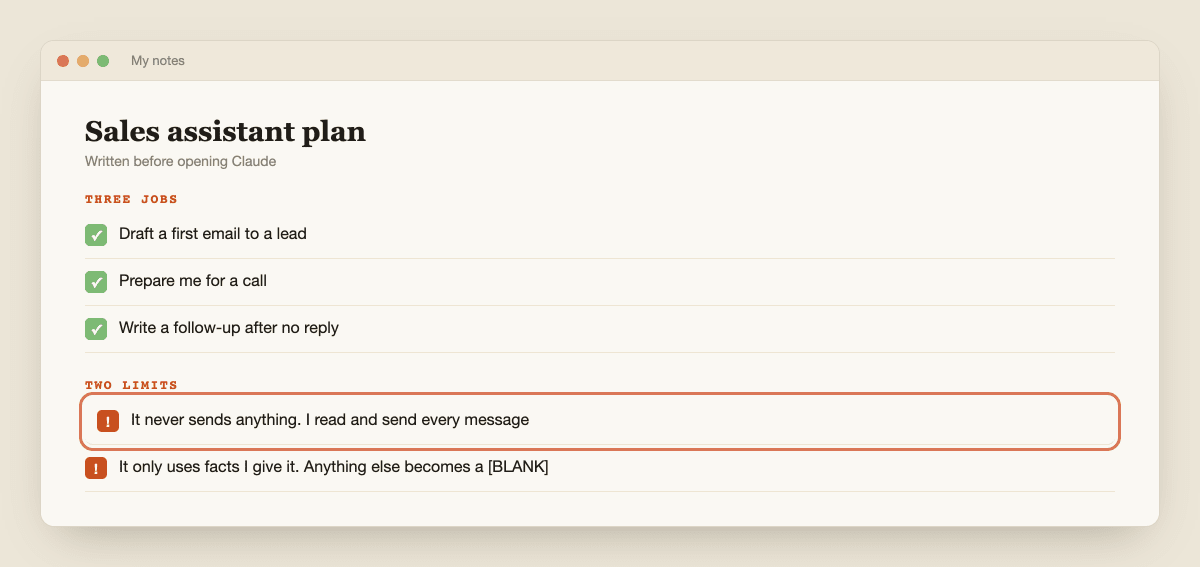
An assistant that tries to do everything does nothing well. Write down three jobs and two limits before you open Claude.
Good first jobs: draft a first email to a lead, prepare you for a call, and write a follow-up after no reply. Good limits: it never sends anything, and it only uses facts you give it. That second limit matters, because a sales email with an invented claim about your product or about the lead is worse than no email.
Two more limits come from the rules. Anthropic's usage policy prohibits promoting or facilitating the distribution of spam, and prohibits compiling personal data from multiple sources to build profiles of individuals.
So this assistant works on a handful of leads you chose, using public business information, and you send each message yourself.
2. Create the project
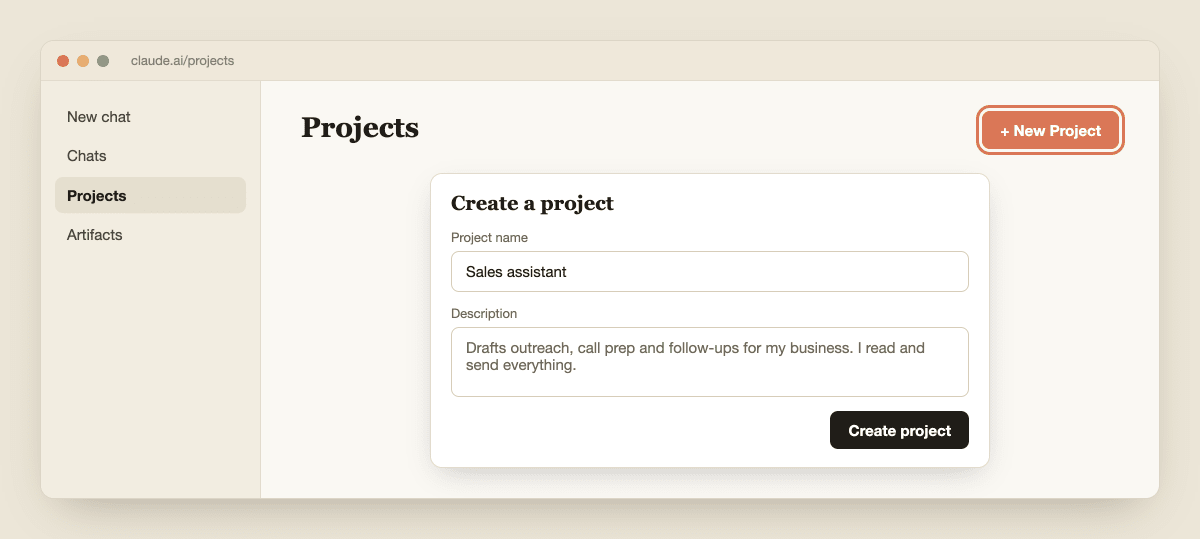
Open Claude and click Projects on the left side, or go to claude.ai/projects. Click + New Project in the upper right, then give it a name and a description.
Anthropic's help article on creating projects notes that Claude cannot see the name and description, so they are only for you. Call it "Sales assistant".
Projects are available on free accounts too, with a limit on how many you can create. Check the pricing page if you want to compare plans, and see Is Claude AI free? for what changes on a paid plan.
3. Write a one-page fact sheet about your business
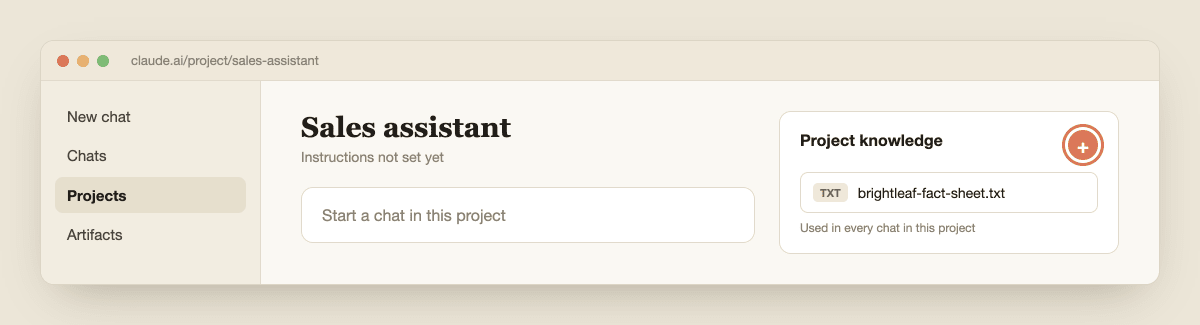
Claude can only sell what it knows. Open a plain document and write what is true about your business, in your own words. Keep it to one page. Cover what you sell, who it is for, what it costs, three real results or reasons customers choose you, what you do not do, and how a person can book a call.
The most important part is the "do not say" list. Write down every promise you cannot keep, such as guaranteed results or a delivery time you cannot always meet. In this tutorial I use a made-up bookkeeping firm called Brightleaf Bookkeeping, so replace every detail with your own.
Save it as a file, then in the project use the + button in the knowledge area on the right to add it. Anthropic says uploaded files are used across every chat in that project.
4. Give the assistant its instructions
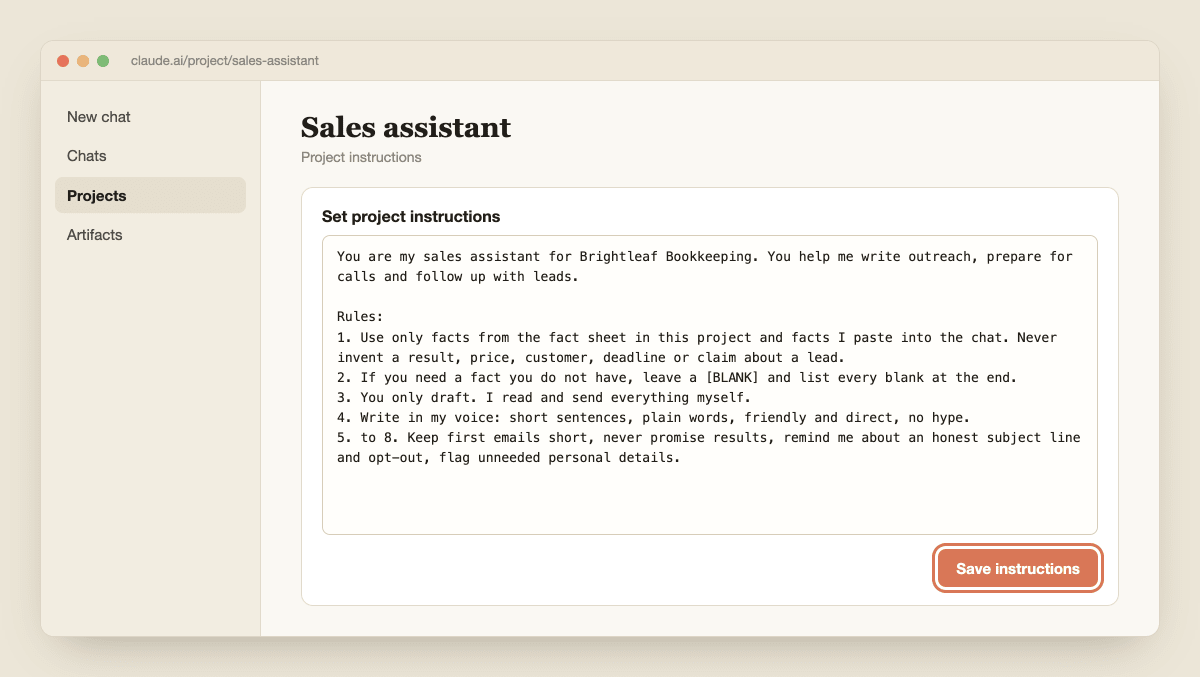
Click Set project instructions, paste the text below, replace the brackets, and click Save instructions. These apply to every chat in the project, so you write them once.
You are my sales assistant for [business name]. You help me write outreach, prepare for calls and follow up with leads.

Rules:
1. Use only facts from the fact sheet in this project and facts I paste into the chat. Never invent a result, price, customer, deadline or claim about a lead.
2. If you need a fact you do not have, leave a [BLANK] and list every blank at the end.
3. You only draft. I read and send everything myself. Never write as if a message has already been sent.
4. Write in my voice: short sentences, plain words, friendly and direct, no hype, no exclamation marks.
5. Keep first emails under 120 words and make one clear, small ask.
6. Never promise results, savings or timelines that the fact sheet does not state.
7. Every marketing email I send needs an honest subject line and a way to opt out. Remind me of this after each email draft.
8. If I paste personal details about a person that are not needed, tell me to remove them.
If you want help writing better instructions, my 5-element prompt formula shows what to include.
5. Draft your first outreach email
Open a new chat inside the project and describe one lead using only information you could find on their public website. Do not paste private details about a person. For this example the lead is a made-up business, Northside Bakery.
Lead: Northside Bakery, a small bakery with two shops. Their website says they are opening a third location in spring.
What I know: they take online orders and wholesale orders.
Goal: book a 15-minute call about keeping their books simple while they grow.
Write a first email to the owner. Leave [BLANK] for their name. Give me two subject line options.
Read what comes back. Check every sentence against the fact sheet and the lead information you gave. Anything not in either is invented, so delete it.

6. Fix it and teach it your voice
The first draft will not sound exactly like you. Do not rewrite it by hand. Tell Claude what to change, then add what it learned to the project.
Too formal. Make it warmer, cut the first sentence, and replace the second paragraph with a question. Then tell me the rule you followed, in one sentence, so I can add it to my instructions.
When you have an email you would actually send, paste it into the chat and say "Save this as my voice example." Then add it to the project knowledge as a second file called "voice-examples". Next time, add "Match the style of voice-examples" to your request. This is how the assistant gets better without any code.

7. Add call prep, objections and follow-ups
A sales assistant is more than an email writer. Use these three prompts in new chats in the same project, filling in the brackets.
Before a call:
I have a call with [lead type] about [topic] tomorrow. Give me five questions to ask, the three objections I am most likely to hear, and a calm answer to each using only the fact sheet.
After no reply:
I sent the email below five days ago and heard nothing. Write a three-sentence follow-up that adds one useful idea and does not say "just checking in". [paste the email]
When a lead says "too expensive":
The lead said my price is too expensive. Give me three replies: one that explains the value using the fact sheet, one that offers a smaller option, and one that lets them walk away politely. Never suggest a discount I have not approved.
If you want Claude to repeat a job exactly the same way every time, that is what a Skill is for. My guide to what Claude Skills are explains it, and Claude Projects vs Skills vs Cowork shows which one to use.

8. Check, send yourself and keep it honest
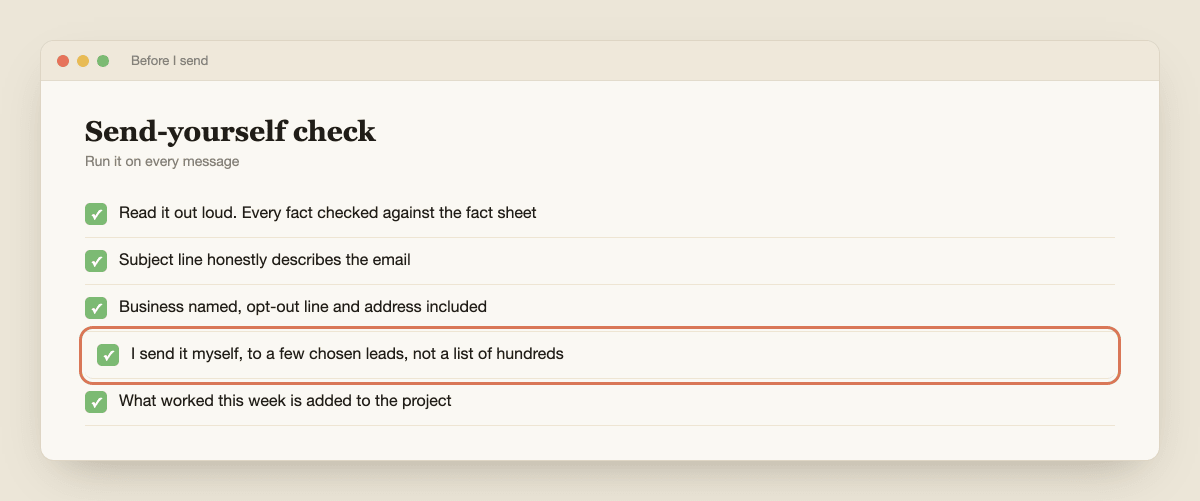
Before anything goes out, run this check. Read the whole message out loud. Check every fact against the fact sheet. Delete any claim you cannot prove. Look at the subject line: it must honestly describe the email.
Make sure the message names your business, includes a way to opt out, and, in the United States, your postal address.
The FTC's CAN-SPAM guide for business lists the rules, and it applies to business-to-business email too. Other countries have their own rules, so check yours.
Then send it yourself. Keep the numbers small, a few well-chosen leads each week, not a list of hundreds. If you ever put an AI chatbot in front of customers, Anthropic's policy says you must tell people they are talking to AI.
Drafting for your own review is different, but your own honesty rule should still be simple: never pretend a human wrote it if you would not say so out loud.
Each week, add what worked to the project: the subject line that got a reply, the objection you did not expect, the sentence that fell flat.
For a wider look at what Claude can do for a small business, see how to set up Claude for small business. Claude will not close the sale. It saves you the blank page, and the sale is still yours.